Nothing to install, no account to start. On a computer, with Chrome or Edge.
You're on a phone or tablet: to play, open it on a computer.
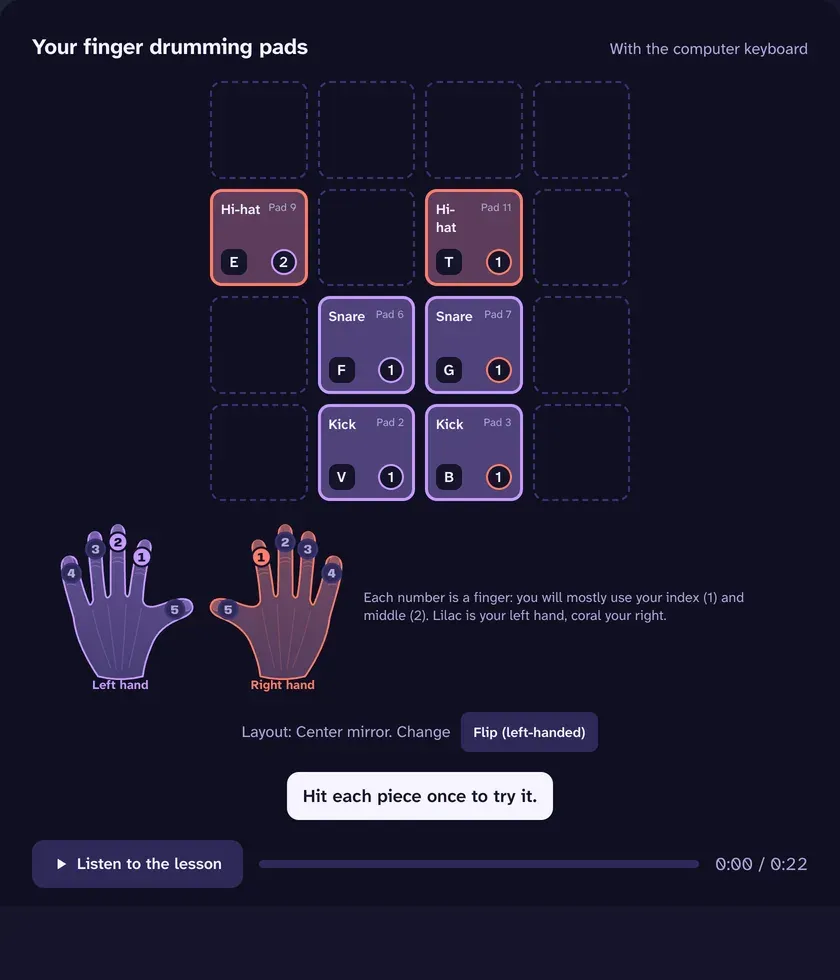
Tap them, or press the key each pad shows.Tap them, several at once if you like.
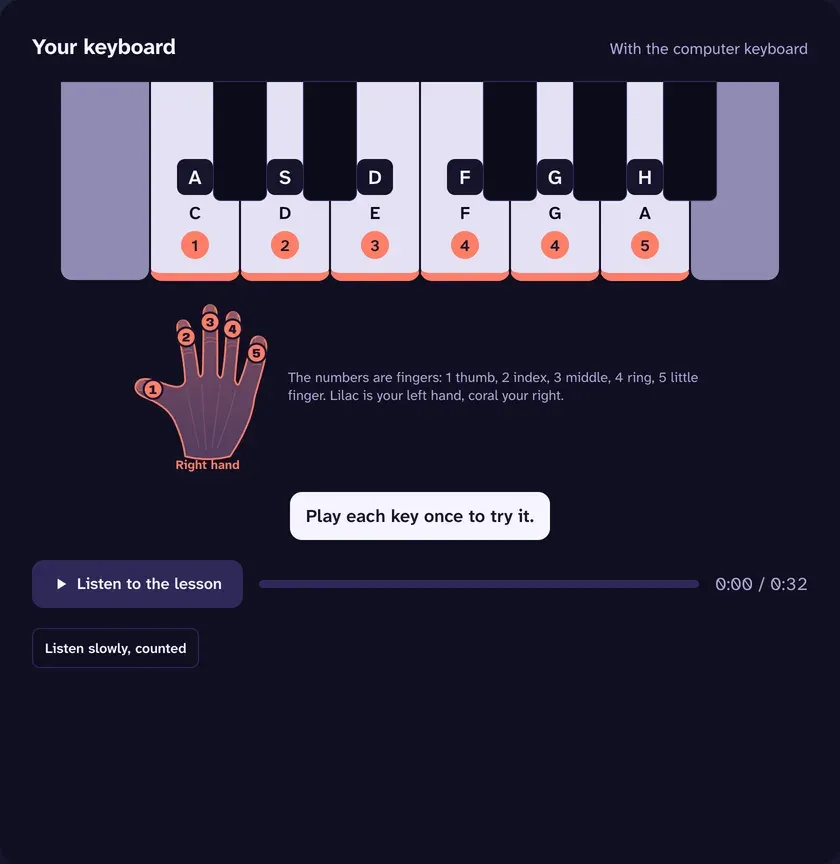
Tap it, or press the key each note shows.Tap it, chords included.
This browser doesn't read MIDI controllers; the app reads them in Chrome or Edge. Here you can play with the keyboard or your finger.
Three ways to play
The lesson always shows and sounds on the computer. Pick what you play it with.
Your MIDI controller
Plug it in over USB: midiBattle recognizes it, no drivers or setup. Keyboards, pad controllers and electronic drum kits.
Your phone or tablet, as the instrument
Scan the QR code that shows up on the computer and they turn into pads or a piano. The lesson stays on the computer's screen.
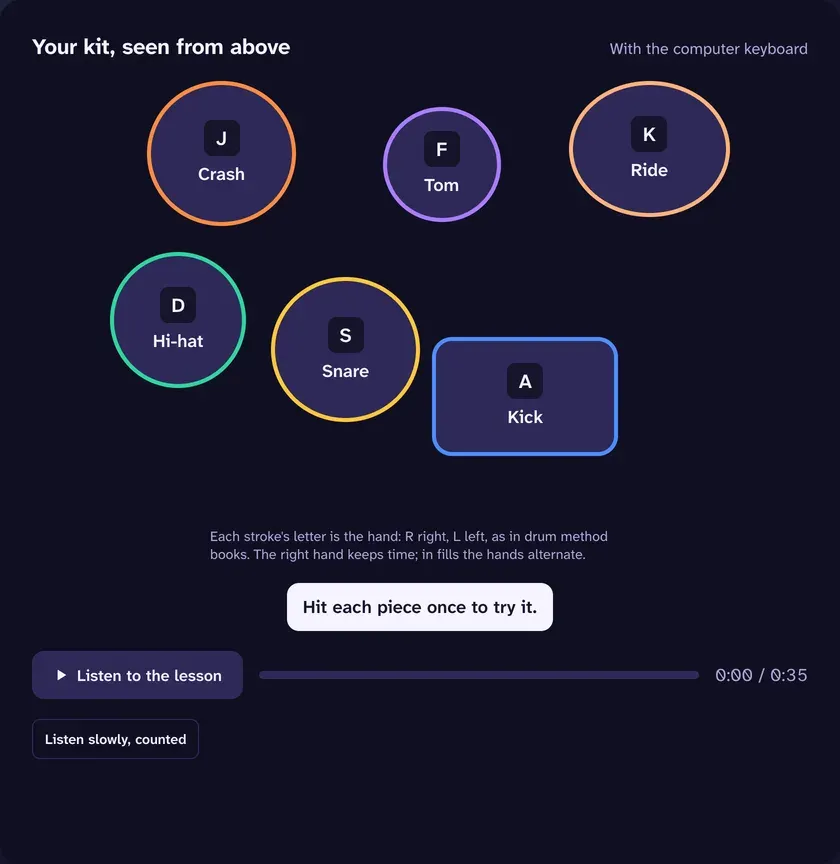
Your computer keyboard
To try it right now, with nothing else.
Learn by playing, play by learning
Learn
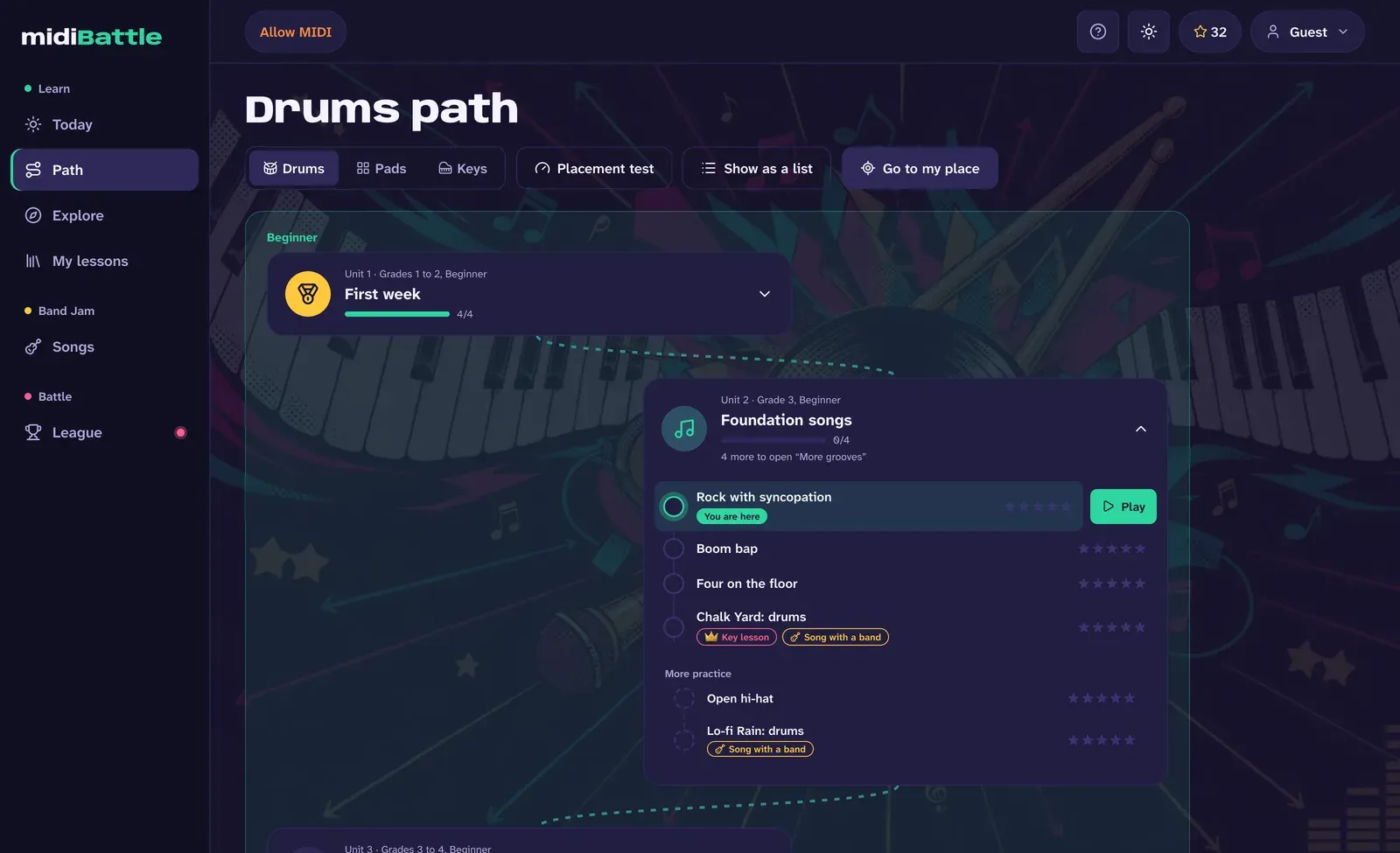
A path from your first note to whole pieces
245 lessons and exercises in grades, played with their band. A placement test sets your level, and every song is learned step by step: slow and by heart, with the guide, with the bass and whole. Every lesson comes with its sheet music to read or print, and on drums and pads you can also play reading it.
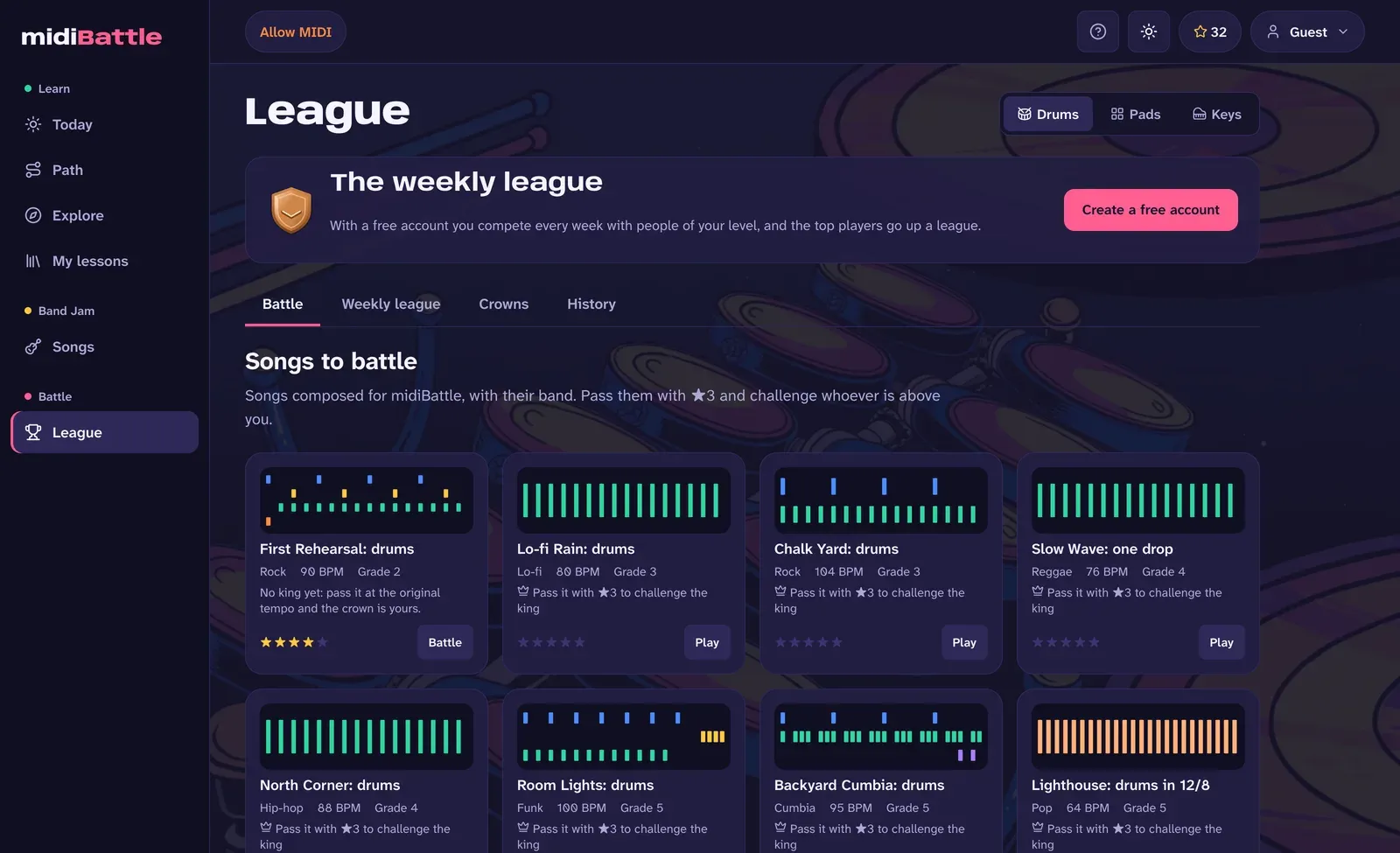
League
Challenge whoever is right above you
Every song and every key lesson of the path has its king. Beat whoever is above you, win crowns and climb the League, without waiting for anyone to be online. 76 battles to pick from.
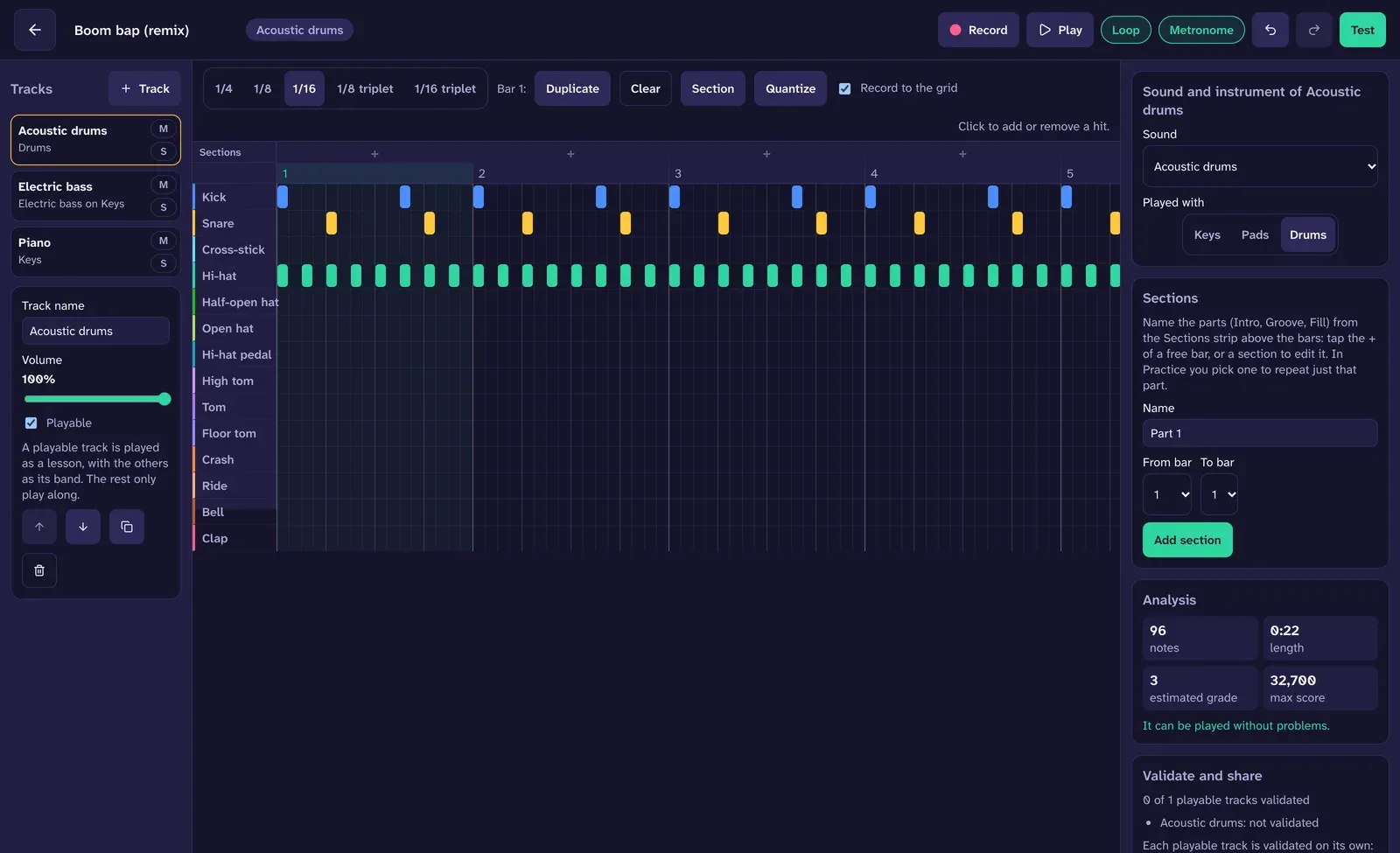
Create
Write your own lessons
A piano roll to draw in or record while you play, with several tracks: drums, bass, piano and whatever the song adds. It imports .mid files and shares with a link.
XP, ranks, achievements, weekly goals and a map of every day you played.
Three instruments, one way to play
The same modes, the same scoring and the same path in all three.
Drums
The full kit, with the hi-hat pedal and the strength of every hit, on an electronic kit or on pads.
With Chrome or Edge. That's where the lesson shows and sounds.
Connect your controller
Or scan the QR code on the screen with your phone or tablet, and use it as the instrument.
Play your first lesson
Without an account you play 5 lessons per instrument. With a free account, all of them, and you compete in the rankings.
Questions
Do I need a MIDI controller?
No. The lesson runs on the computer, and you can play it with its keyboard, or with your phone or tablet as pads or a piano, linked with a QR code. With a controller it feels like an instrument.
Can I play with just my phone?
No. The lesson shows and sounds on the computer; the phone or tablet is the instrument, linked with a QR code.
Will my controller work?
If it connects over USB and sends MIDI, yes: midiBattle doesn't depend on any model. If a pad doesn't match, you assign it by hitting it.
Do I have to install anything?
No. midiBattle is a website: it opens in your computer's browser and, with an account, your progress follows you to any computer.
How much does it cost?
It's free during the beta. Without an account you play 5 lessons per instrument; with a free account, all of them.
Which browsers does it work in?
Chrome and Edge on a computer, which read MIDI controllers. Safari and Firefox don't yet. It also works on an Android tablet with Chrome and a controller plugged in over USB. The phone or tablet you use as an instrument only needs its browser.
Will I notice the latency?
Every hit is scored at the time you played it. A short calibration also corrects the delay of your setup.
I've never played an instrument. Is it for me?
Yes. The path starts at grade 1, with one sound and a steady beat, and goes up one step at a time.
What happens to my data?
We ask for the minimum for your account, and you can delete it with everything in it whenever you want. The privacy policy explains it.